A contract repository is the one place where a business stores its contracts and can find each one again. It saves more time than it takes when filing a signed contract is one small, fixed step, and anyone who needs the signed copy or its renewal date can get it without asking around.
It comes in several forms, among others: a folder on a shared drive such as Google Drive or SharePoint, a spreadsheet in Excel or Google Sheets that lists each contract with a link to the signed copy, the document library inside a signature tool such as DocuSign, or dedicated contract software such as Ironclad.
A shared drive can do that job, as long as five details are recorded at signature.
Where do signed contracts go when there is no contract repository?
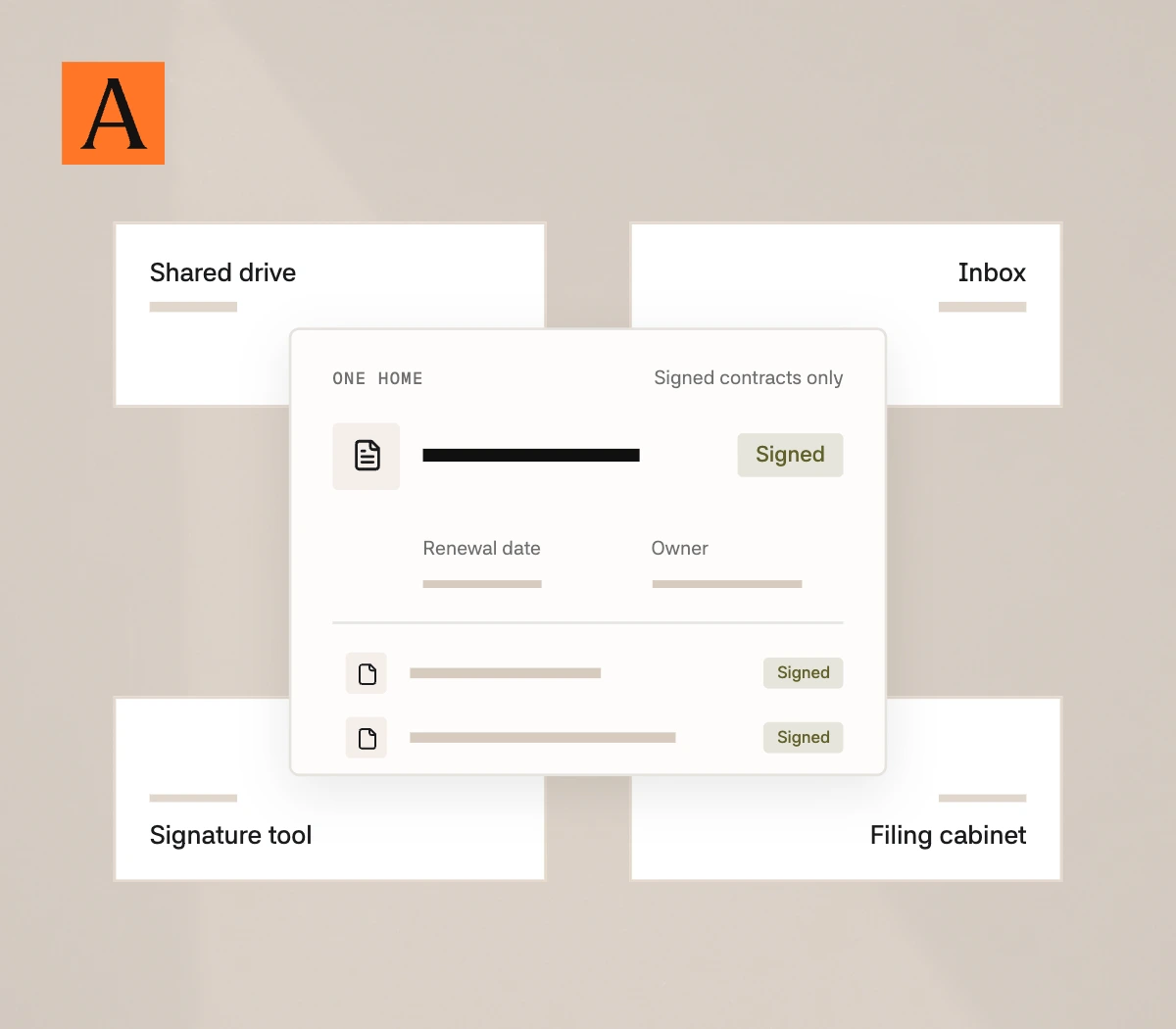
They stay wherever the signing left them. That is usually a shared drive, a few inboxes and a signature tool, and sometimes a filing cabinet. Each one holds part of the record.
The certificate is the signature tool's own record of each signer and when they signed. It is worth keeping with the contract.
Each of these is a sensible place to keep a contract. The time goes when a contract could be in any of them, because "do we have the signed version?" then depends on who is asked.
It is a familiar problem. In a 2024 survey of more than 1,000 business leaders in 10 countries, 49% said they spend too much time searching for completed agreements.
What makes a signed contract easy to find?
Five details, recorded on the day it is signed.
One home. One folder on the shared drive, or one contract system, that every signed contract goes to and that holds signed contracts only. Drafts and negotiation emails stay with the deal, so nobody has to work out which file counts.
The signed version, marked as signed. The copy with every party's signature and its schedules attached. That is how public procurement guidance describes a complete contract file, and it adds that all parties should hold the correct version. The file name says "signed" or "executed", and amendments are filed with the contract they change.
The parties' legal names. People search by the name they know. A supplier everyone calls by its brand may have signed under a company name nobody would think to type, so both names are recorded.
The dates that matter. These are the start date, the end date, the renewal date and the last day to give notice. The notice date comes first and is the one that needs action, so it is recorded separately.
An owner. A named person who answers for the contract, usually whoever manages that customer or supplier. When the person who signed it has moved on, the question still has somewhere to go.
Can a shared drive be a contract repository?
Yes, if it has rules. The folder holds only fully signed contracts, saved as PDFs and sorted by contract type. A few people add files, and everyone else can only read them.
Two things do most of the work in a setup like that.
The first is a naming rule that everyone follows, such as company, contract type and signing date. Writing the date year first lets files sort in date order. A date in the file name also survives the file being moved or saved again.
The second is a register. This is one spreadsheet with a row for each contract, a column for each of the five details and a link to the signed PDF.
The hard part is keeping it going. A register is only right if a row is added every time a contract is signed, including in the busiest weeks.
We think the filing matters more than the system. Dedicated contract software adds search across the full text, permissions and reminders, and those earn their cost as the number of contracts grows. Even so, the software only knows about the contracts someone has put into it.
How does Alaro keep your contract repository up to date?
Alaro is a self-serve AI paralegal, built by lawyers. It is not a contract repository and does not replace one. It does the upkeep, which is the part that takes the time, in the place you already keep your contracts.
- Every signed contract is filed. Once a contract is signed, Alaro files the signed copy in the folder you choose, such as Google Drive, with the signing certificate alongside it. Nobody has to remember to do it.
- The dates are recorded as it goes. Alaro pulls the notice periods, break dates and renewal windows out of each contract, so nobody extracts them by hand. They go into one timeline, each tied to its contract, and you get a reminder with the lead time you choose.
- The backlog can be read in. Point Alaro at a shared drive, a contract system or the signed copies in an inbox, and it builds the same timeline for the contracts you already have.
- Anyone can ask. Ask by email, Slack or Teams, and Alaro can find the one signed contract you need and explain what it says. It sees only the shared folders you give it access to.
- What is not signed yet stays visible. Work Alaro has taken on sits on a live tracker, which shows who each document is with and is marked as signed when the last signature comes in.
If what you need is the system itself, with its own search, permissions and reporting, that is contract software, and Alaro works alongside it.
You can start free and send Alaro one task.
FAQ
What is the difference between a contract repository and a CLM?
A contract repository holds contracts once they are signed. Contract lifecycle management software, or a CLM, also runs the steps before signature, such as drafting, approval and signing. It usually includes a repository.
Who should have access to a contract repository?
Usually many people can read and few can change. Finance looks up prices and renewal dates, and sales looks up its customer agreements. Sensitive contracts sit in a folder with tighter access.
What happens to contracts that were signed on paper?
They are scanned and filed like the rest, with a note of where the original is kept. A common order is to start with the contracts still in force and add the expired ones later.
Sources
- Ramp, What is a contract repository? Definition and types, updated July 21, 2026.
- Deloitte and Docusign, 2024 Digital Agreement Management Study, 2024. The figure is from Docusign's summary of the study.
- Docusign Support, Certificate of Completion, updated July 2, 2026.
- Scottish Government, Procurement Journey, Contract and supplier management: administration and tools, read November 18, 2026.
- State Archives of North Carolina, File-Naming, read November 18, 2026.